SEO plugins: Indispensable helpers for your website
SEO plugins make it easier for you to manage your website and support you in various tasks—from analyzing your page content to improving the URL structure.
And the best part? Many of these helpers are free and incredibly useful even in their basic versions.
But be careful: Plugins alone do not guarantee a top ranking in search results. Rather, they are your starting point for exploring the world of search engine optimization and optimizing your content.
SEO plugins are versatile tools that assist you with various tasks such as analyzingpage content, creatingmeta tags, inserting links, improving the URL structure, and ensuring optimal keyword density.
Make your website a star with SEO plugins
As a webmaster, you know how important a good ranking is. Advanced plugins such as Yoast SEO offer you additional features to fine-tune your content. They help you avoid common mistakes such as keyword stuffing and give you valuable tips on how to improve the readability of your texts.
There are also powerful SEO plugins outside of WordPress. Joomla users can rely on tools such as sh404SEF, which not only manage your URLs but also strengthen your social media presence.
And Easy Frontend SEO (EFSEO) allows you to edit meta data directly in the frontend. These Joomla SEO plugins are on par with their WordPress alternatives and are regularly updated to meet the latest SEO standards.
The top 10 SEO plugins for WordPress (2024)
Yoast SEO
Yoast SEO is a leading SEO plugin that stands out for its simplicity and user-friendliness. With its intuitive interface, even SEO novices can quickly optimize their website for search engines.
Always up to date, Yoast SEO adapts to the latestSEO trends and is supported by a lively, helpful community. The plugin makes it easy for you to add the right keywords, meta descriptions, and title tags to your content.
Yoast SEO also supports the technical optimization of your website. You don’t need any complicated technical knowledge to do this. From creating sitemaps to improving your URL structure and ensuring the indexability of your site.
Cost
Free version available
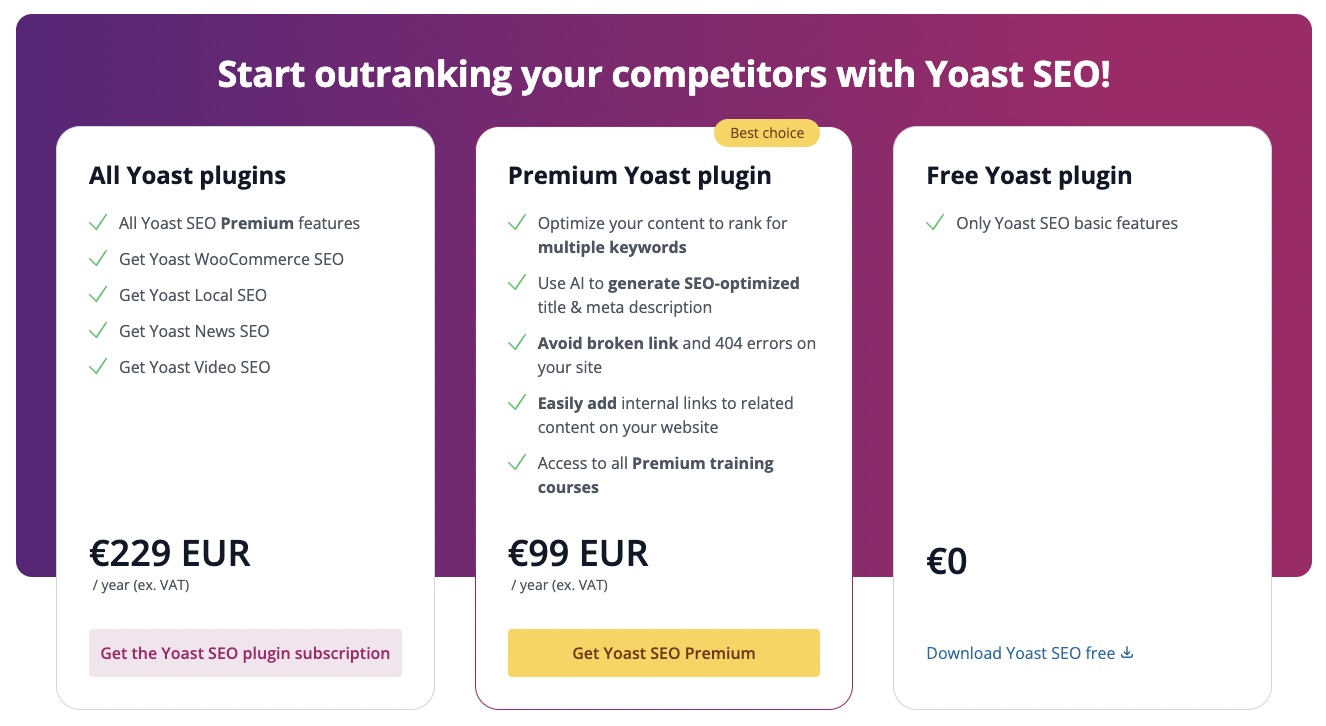
Yoast SEO Premium costs €99.00, and for €229.00 per year, you get all Yoast plugins.
Rank Math is known for its impressive range of free features and is valued for its intelligent automation and advanced analysis functions. With a user-friendly setup wizard, it simplifies SEO processes and enables in-depth keyword analysis.
SEO features at a glance: Rank Math offers comprehensive SEO analysis, specialized WooCommerce SEO, XML sitemaps, OpenGraph markup, a 404 monitor, AMP support, and local SEO. It integrates seamlessly with Google Search Console and offers counters for external/internal links, practical redirection options, and a role manager.
The integration of Google Search Console (GSC) and real-time SEO recommendations make Rank Math an indispensable tool. The clear and customizable user interface makes SEO optimization easy. Rank Math also stays up to date and continuously adapts to the latest SEO trends so that your website always achieves the best performance.
Cost
Free version available
Rank Math starts at around $7 for individuals, around $21 for businesses, and around $50 for agencies per month, billed annually.
Free version offers more features than many other SEO tools
Setup wizard and intuitive user interface
Good integration with many WordPress themes and page builders
Disadvantages
Free version offers limited keyword optimization
Potential compatibility issues with some WordPress themes
The SEO Framework
The SEO Framework stands out for its automation and efficiency. It integrates seamlessly with the WordPress editor and provides editable SEO fields for every article and page.
Thanks to a clear user interface, the plugin generates essential SEO meta tags and even protects you from unwanted SEO attacks. It also helps you integrate social media information.
Efficient and fast, The SEO Framework always stays up to date and regularly adapts to the latest SEO requirements so that you always remain up to date.
Cost
Free version available
Paid features start at $7 (Pro), then $17 (Business) and $27 (Agency) per month, billed annually.
Efficient framework approach: Only add and customize the features you actually need
Integration into the editor and provision of editable fields for meta information
Integration of Google Analytics (paid options)
Disadvantages
Relatively limited free version
Squirrly SEO
Squirrly SEO shines with its AI-powered all-in-one solution designed specifically for WordPress. You can expect over 650 preset features that will make your everyday SEO work much easier.
With the SEO Live Assistant and daily SEO goals, it guides you step by step through the optimization of your content and technical settings. The Focus Pages and the Keyword Research Tool are your faithful helpers in selecting and monitoring effective keywords.
In addition, Squirrly offers website audits, rank tracking, and SEO audits to continuously monitor and improve your website performance. As a user-friendly tool, it allows you to comprehensively optimize your website even without in-depth technical knowledge.
Cost
Free version available
The Pro version costs approximately $21, the Business version approximately $72, and the Agency version approximately $76 per month.
Comprehensive SEO features: Covers many aspects of SEO, from website improvement to social media integration
Helps you write SEO-optimized articles
Includes tools that analyze your competition
You get a weekly progress check
Disadvantages
Some users complain about usability and report technical issues
SEOPress
SEOPress makes it easy to optimize your website effectively with its simple setup and intuitive interface—even if you’re new to the world of SEO.
You get support for optimizing your content, including choosing the right keywords, writing meta descriptions, and setting title tags. SEOPress is also continuously updated.
The technical side of SEO is also a breeze with SEOPress. Create sitemaps, use breadcrumb navigation, set up redirects, and take advantage of Google Structured Data Types.
Cost
Free version available
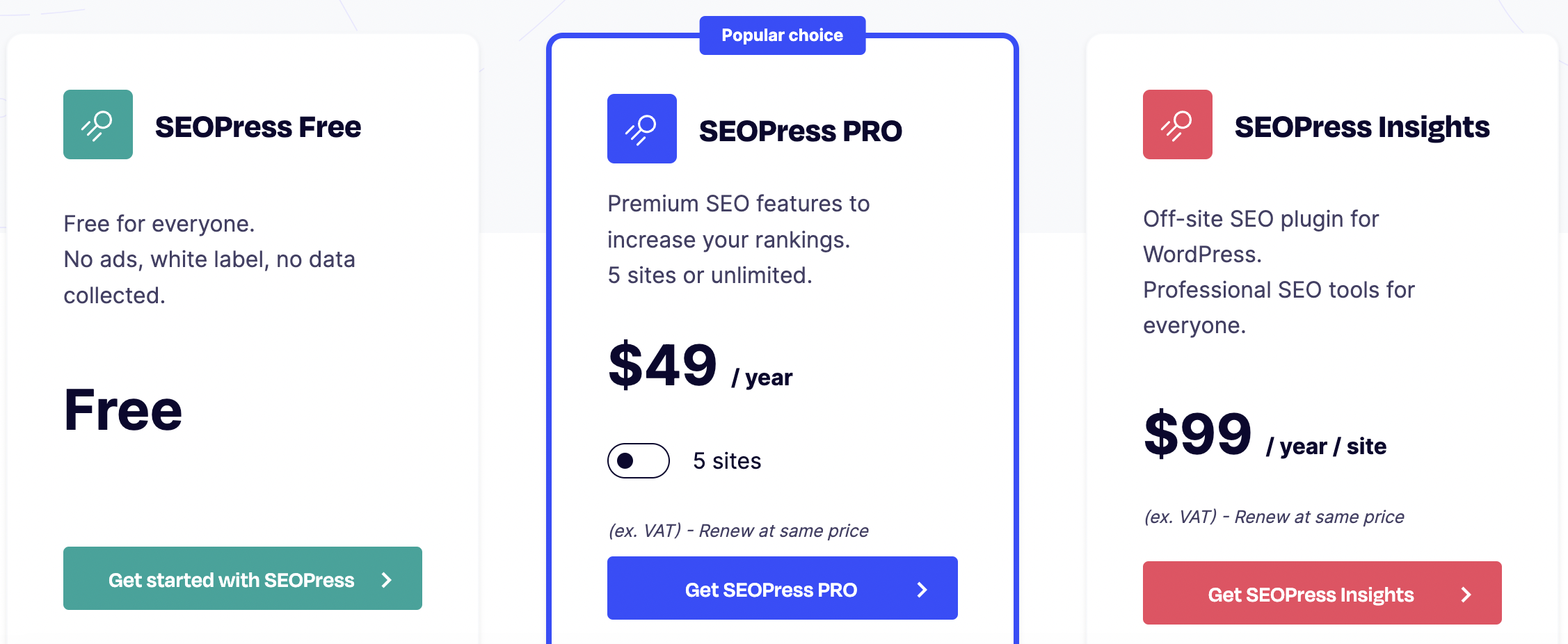
SEOPress Pro costs $49 and SEOPressInsights costs $99 per year.
Compared to RankMath or Yoast SEO, SEOPress offers slightly fewer features and may be slightly less powerful.
Broken Link Checker
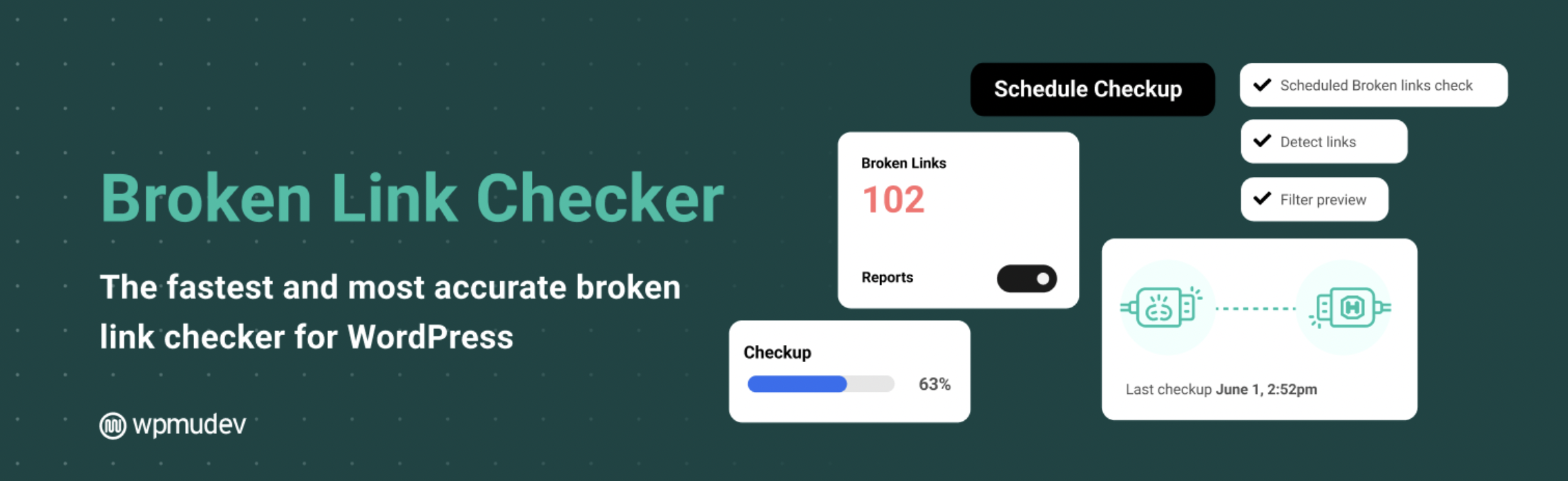
The Broken Link Checker is an indispensable tool for website operators that automatically detects and reports dead links. Whether in posts, on pages, in comments, or even in custom fields, no broken link goes undetected.
Thanks to regular checks and immediate notifications, you can act quickly. This is not only great for your SEO, but also makes your users happy because they always encounter working links.
The plugin is easy to use and you can rest assured that your website links are working and up to date.
Efficient and relatively accurate monitoring of broken links
Disadvantages
Manual review required: Even though the plugin identifies most broken links, you often have to correct them manually because the plugin is not always 100% accurate
Rel NoFollow Checkbox
The Rel NoFollow Checkbox plugin makes managing your links a breeze. The plugin makes it really easy to mark links with the rel=”nofollow” attribute by adding a handy checkbox directly in the link settings in the editor.
ATTENTION: Internal links must not be set to NOFOLLOW!
This feature is particularly useful for SEO, as it prevents search engines from following certain links. This preserves link quality and protects against negative SEO effects from external links.
The plugin is very user-friendly and strengthens your website’s link profile.
Manual application: Despite its simplicity, each link must be marked individually
All in One Schema Rich Snippets
All in One Schema Rich Snippets is an indispensable plugin for WordPress users. It creates appropriate structured data for your pages so that search engines can understand the content even better. It supports a variety of schemas, including reviews, events, and products.
With a better presentation of your website in search results, the click-through rate should also increase slightly, as the page displays more relevant information and thus looks a little more attractive.
The plugin is intuitively designed and makes integrating schema markups really easy.
When used correctly, it can increase visibility on Google
User-friendly interface
Disadvantages
Limited customization options: Despite a wide range of schemas, the customization options are limited
XML Sitemap Generator
With the XML Sitemap Generator, you have a fantastic tool at your disposal that makes life easier for you and Google. It creates an XML sitemap in no time at all, ensuring that your content can be found and indexed more easily.
An XML sitemap is a structured list of all URLs on your website. With a few simple steps, the plugin creates this overview, which is then uploaded to the root directory of the website.
Important: A well-maintained and always up-to-date sitemap is essential for faster and more complete indexing of your content.
Manual application: Despite its simplicity, each link must be marked individually
Slim SEO
Slim SEO is a streamlined SEO plugin that does away with complex settings.
It optimizes your website automatically by generating meta tags, Open Graphtags, and much more. With Slim SEO, you can quickly create an SEO foundation that can improve your visibility in search results.
The plugin works in the background and ensures that your content is presented optimally without you having to worry about technical details.
Slim SEO is therefore an efficient SEO tool that saves time and delivers solid results. However, compared to Rank Math or Yoast SEO, it does not have any on-page analysis features.
Cost
Free version available
Slim SEO Schema Personal for $39, Agency for $79, and Freelancer for $59, billed annually
Slim SEO Link Manager Personal for $39, Agency for $99, and Freelancer for $79, also billed annually
Figure 9: Slim SEO Schema & Slim SEO Link Manager Pricing Source: wpslimseo.com
Advantages
Automatically creates meta tags & sitemaps, adds schema markups, and creates redirects
Powerful tool that works well with the default settings
Disadvantages
No on-page analysis possible
Less control over specific SEO settings and optimizations
Summary
SEO can quickly become overwhelming without the right tools. But don’t worry: with the right plugins at your side and a little training, even demanding challenges such as keyword research, competitor analysis, and reporting become tasks that you can handle with ease.
Plugin
Description
YOAST SEO
Offers tools for optimizing on-page SEO, readability analysis, and XML sitemaps. One of the most popular SEO plugins.
Rank Math
Offers features such as 404 monitoring, keyword tracking, and various optimization suggestions, with a user-friendly interface.
The SEO Framework
A lightweight plugin that focuses on essential SEO tools without any bells and whistles. Known for its performance and simplicity.
Squirrly SEO
Uses AI to optimize content for SEO and offers various tools for keyword research and analysis.
SEOPress
A comprehensive plugin that offers features such as XML sitemaps, Google Analytics, and content analysis.
Broken Link Checker
Checks your website for broken links and missing images and notifies you so you can fix them, improving user experience and SEO.
Rel NoFollow Checkbox
Adds a checkbox to the post editor to add “nofollow” attributes to external links.
All in One Schema Rich Snippets
Helps add rich snippets to your website, improving the way your pages appear in search results.
XML Sitemap Generator
Creates XML sitemaps to make it easier for search engines to index your website.
Slim SEO
A simple SEO plugin that focuses on essential features such as meta tags, sitemaps, and schema markup.
Table 1: SEO plugins overview
There are a few more plugins, but also ones specifically for shop systems such as Shopify & Co. There will soon be a separate eo:magazine article on this! STAY TUNED 💡
Search engine optimization is an important area of online marketing. Many factors must be taken into account and a wide variety of data must be used in order to derive the right measures and strategies and evaluate their results. In order to be able to use and take all this data into account, SEO experts use tools that support them in their work. Find out more. ... Continue readingPractical SEO tool tips
11 min
Want to be successful and visible online? Targeted SEO makes it possible!
You are currently viewing a placeholder content from Hubspot Embedded Content. To access the actual content, click the button below. Please note that doing so will share data with third-party providers.
You are currently viewing a placeholder content from HubSpot. To access the actual content, click the button below. Please note that doing so will share data with third-party providers.
You are currently viewing a placeholder content from Hubspot Meetings. To access the actual content, click the button below. Please note that doing so will share data with third-party providers.